#include "glue_screen.h"
#ifndef _DEBUG
#pragma comment(linker, "/SUBSYSTEM:windows /ENTRY:mainCRTStartup")
#endif
//-----------------------------------------------------------------------------------------------
// To do.
size_t offset = 0;
void scene()
{
static size_t count;
for( size_t y = 0; y < screen.get_height(); ++y)
{
for( size_t x = 0; x < screen.get_width(); ++x)
{
i8u intensity = i8u( x * y + count );
screen.put_pixel( x, y, COLOR32( 0, 0, intensity ).argb << offset );
}
}
count++;
}
//-----------------------------------------------------------------------------------------------
int main()
{
for( offset = 0; offset < 24; offset += 8 )
{
screen.open();
screen.on_draw_scene = scene;
screen.run();
screen.close();
}
return 0;
}
//-----------------------------------------------------------------------------------------------
 codesafer_opengl_framework.zip
일일이 vertex 를 추가하는 형식이 아닌,
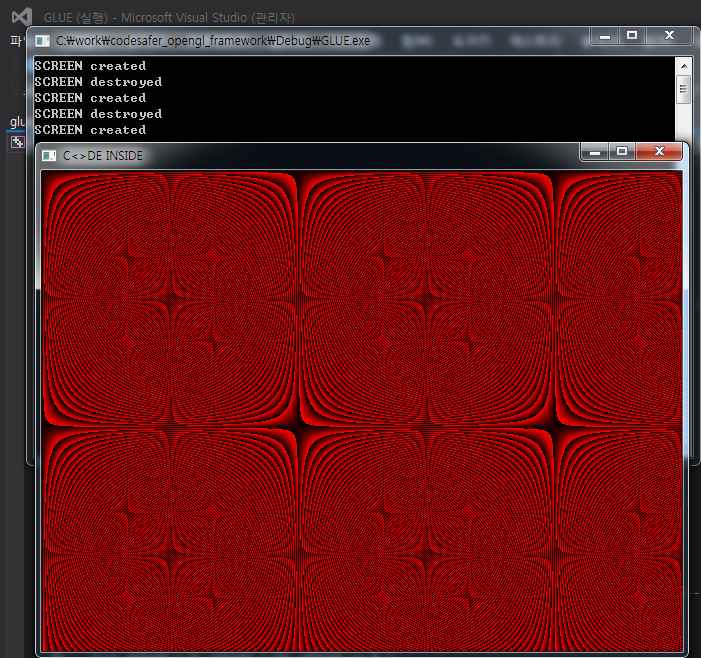
glDrawPixels 함수에 그림이 그려진 배열을 전달할 수 있는 방법의 예제입니다.
template SINGLETON 을 사용한 단일 screen 개체를 전역으로 접근할 수 있습니다.
디버깅 모드에서는 커맨드창을 로깅용으로 쓰고 있습니다.
screen 개체의 생성과 삭제 테스트용으로 세 번 실행 하는 예제니 참고하세요 :)
ps. 라이브러리 이름을 GLUE 로 정했습니다. (왠지 있을것 같은 네이밍)
ps2.
1. 이름 변경중 resize 기능이 동작하지 않던 문제를 해결했습니다.
2. COLOR32 를 공용체로 바꾸었습니다.
3. pixel_buffer, width, height 를 pixels, pixels_width, pixels_height 로 바꾸었습니다.
4. client_width, client_height 를 width, height 로 바꾸었습니다.
5. 예제의 색상이 매 생성시마다 바뀌도록 예제를 변경했습니다.