대다수 학교가 앱을 통해
온라인 입학등록을 진행하고 있습니다.
해당학교가 지정하는 앱을 다운로드 받은 후
학교 가이드에 따라 해당 내용을 입력합니다.
아래는 북경대학 온라인 예시입니다. 참조해주세요~
“留学北大(留学助手)”APP 说明
User Manual of “Study at PKU (Study in China Assistant)”
一、下载方式 Download
1.在线下载 Download using browser
苹果系统 IOS
https://itunes.apple.com/us/app/%E7%95%99%E5%AD%A6%E5%8A%A9%E6%89%8
B/id981408438?l=zh&ls=1&mt=8 安卓系统 Android
https://zyxd.17gz.org/mobile/studyinchina.apk
2.扫描以下二维码下载。Download via QR Code.

3.打开“北京大学国际学生在线服务系统”网址后,在右下方通过扫码下载。Download
via QR Code at the bottom right of PKU International Student Service System home page
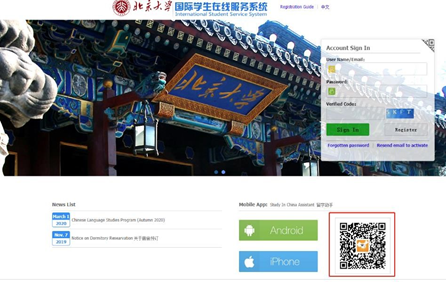
二、注册入口 Registry entry

1. 点击红框内图标,扫描以下二维码进入系统。Click the button in the red circle, and
scan the QR Code below to enter the system
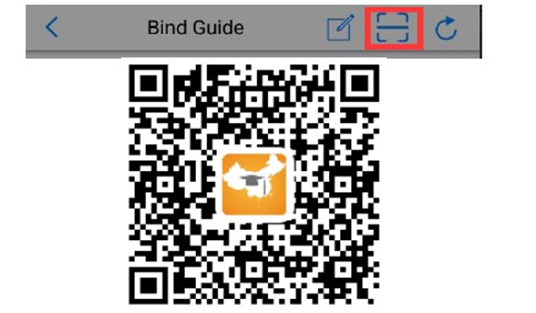
.
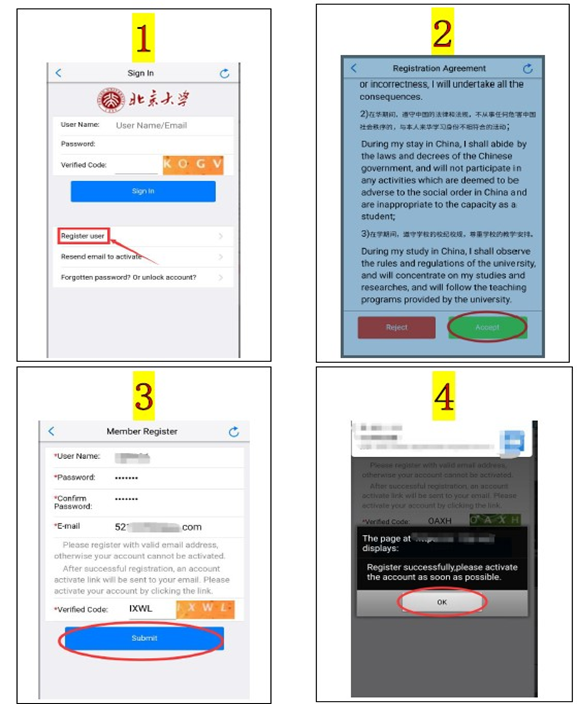
2. 注册新账号或输入入学申请时使用的用户名及密码。Register a new account or login
in with the existing user name and password that you used to apply for the University.
3. 进入自助办理系统,并与学号绑定。Enter the self-service operating system, and bind your
student ID.
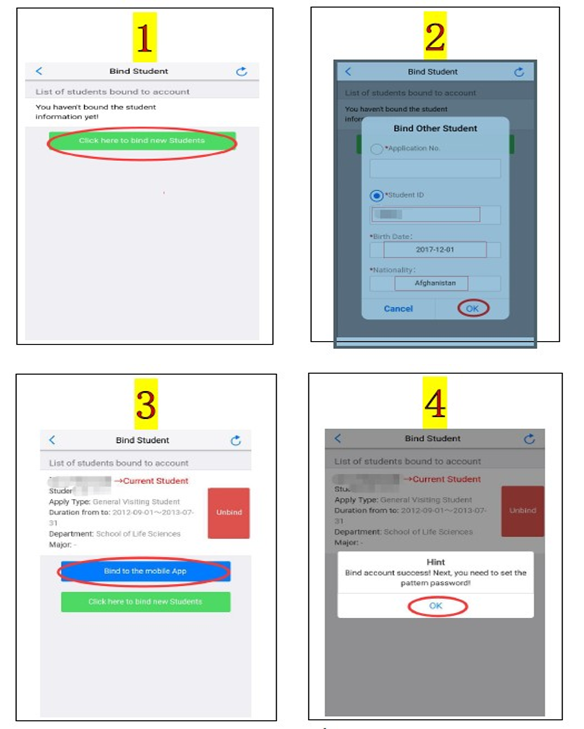
接下来按照步骤依次注册即可。To complete the registration, please go on following the
instruction on the app.