What's the difference between 'C' and 'CE' functions on Windows calculator?
작성자세이지작성시간17.10.29조회수833 목록 댓글 0I have always seen the C and CE buttons on physical calculators just as they are displayed on the Windows Calculator, but I never really understood what the abbreviations mean and what exactly is the difference between them:
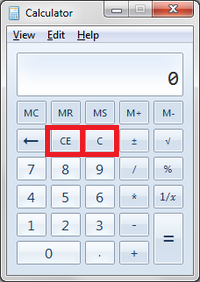
So, what do the abbreviations on these buttons stands for? I have never noticed any difference with using both on simple and routine calculations
According to Vintage Technology, both buttons are a way to clear or cancel an entry. The C button will clear all input to the calculator. The CE button clears the most recent entry, so if you make a mistake in a long computation, you don't need to start all over again.
Source
Example
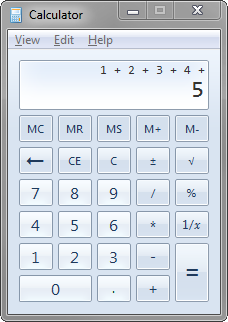
If I now press the CE button, only the 5 is erased. The rest of my computation is still stored.
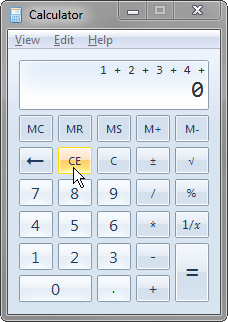
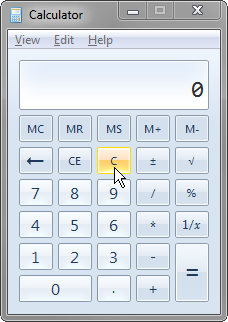
If I press the C button, my whole computation will be cleared:
History
One might ask why we have these specific keys on our Windows calculator? Why are they not labeled differently?
Luckily, the guys over at Vintage Calculators have an amazing collection of information on the subject.
According to their site, the first electronic calculator was released by Bell Punch Co., Uxbridge, England in 1961. This were the Anita Mk VII and the Anita Mk 8.
We can see a C (Clear) and CI (Cancel Input) button.
CE means "Clear entry" it just clears the last number typed into the display
C means "Clear" (more) It clears the display and any partial calculation.
Example: you enter 25 + 3 If you hit CE, it erases the 3, but remembers you were adding something to 25. You can now enter 8 and =, and you'll see 33.
If you hit C, it forgets the whole thing, and if you now enter 8 and =, you will see 8 still there.
MC clears the separate value stored in memory, which is not affected by C or CE.
■ add a comment
^^Huh, I always thought it was "Clear", and "Clear Everything". I guess I had the functions backwards!