MainConcept™ MPEG Pro™ HD 4
Plug-in for Adobe? Premiere? Pro

홈페이지: http://www.mainconcept.com/site/prosumer-products-4/mpeg-pro-hd-4-22464/information-22492.html
|
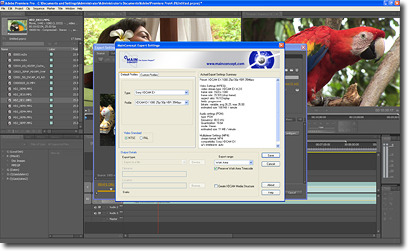
MainConcept™ MPEG Pro™ HD 4 is a set of full-featured editing and export Plug-Ins for Adobe? Premiere? Pro CS3 and CS4. They offer full support for the whole Sony XDCAM camcorder and deck generation, Panasonic P2 AVC-Intra and DVCPRO camcorder series as well as full MPEG and H.264/AVC support.
The MPEG Pro HD 4 Plug-Ins offer native MPEG, DVCPRO and H.264/AVC editing with the Adobe video-editing flagship. Each version includes numerous ready-to-use project, sequence as well as export presets for consumers as well as for professional. The Plug-Ins for Premiere Pro are also the perfect solution for broadcast production environments that make use of high-end devices for professional content creation and editing. Versatile Camcorder SupportBeside Sony XDCAM HD support, the new version of MPEG Pro HD 4 Broadcast Suite now offers full support for the latest Sony XDCAM EX camcorder generation allowing import, editing, and export of such streams – including smart rendering – with Adobe Premiere Pro. The same is valid for the Panasonic P2 DVCPRO and AVC-Intra camcorder format, that additionally offers support for multichannel audio. Using MXF export for Panasonic P2 DVCPRO compliant camcorders, you can generate a P2 style folder structure (virtual P2 device) that includes MXF video/audio, XML files and thumbnail bitmaps. It is even possible to add clips to an existing P2 style folder. The MPEG Pro HD 4 Broadcast Suite Plug-In also includes the ability to capture from several JVC, Canon and Sony HD camcorders.
| |||||||||||
|
AvailabilityMainConcept MPEG Pro HD 4 is available for Microsoft Windows. It is designed to work on any PC which meets the Adobe Premiere Pro HD 4 minimum system requirements and can only be used when Adobe Premiere Pro CS3 or CS4 is installed (not included).
High-Resolution Manual: | |||||||||||
- MainConcept MPEG Pro HD 4 is available for Microsoft Windows. It is designed to work on any PC which meets Adobe Premiere Pro CS 3 and CS4 minimum system requirements.
- Requires Adobe Premiere Pro CS3 or CS4 (does not work with any version below CS3)
- For HDV editing, the recommended minimum requirements are an Intel? Pentium? 4 processor 3.06 GHz or faster with Hyper Threading Technology, and 1 GB of RAM.
- For HD and AVCHD editing, the recommended minimum requirements are an Intel? DualCore processor 2.4 GHz or faster, and 2 GB of RAM.
- In addition to these requirements, video editing requires that your system is operating smoothly.
Attention:
- Before you start to install the new version of the MPEG Pro HD 4 Plug-In, please uninstall the current one. Additionally, make sure that no other MainConcept or Adobe Creative Suite program is running during uninstalling or installing new MainConcept software.
NOTE: The demo version of the MPEG Pro™ HD 4 Plug-in for Adobe? Premiere? Pro is fully functional and covers all features from consumer to professional broadcast support. It possess a video capture recording restriction of five minutes and adds a water-mark to your processed videos, without affecting the source material. When evaluating smart rendering in demo mode, MPEG Pro HD 4 renders every 20 seconds a logo for one second into the video stream. Additionally, it includes an audio encoding and decoding limitation of 30 seconds for AAC and Dolby Digital. When you purchase the MPEG Pro HD 4 Plug-in, you will receive a registration code to unlock in its features in the demo. Features you did not purchase will stay in demo mode. This means that you can start enjoying the full version and unlock other features later without an additional download and reinstallation. The MainConcept MPEG Pro HD 4 Plug-in can be used only in connection with Adobe Premiere Pro.
Available downloads:
MainConcept MPEG Pro HD 4 Plug-Ins (40.1 MB)
Before you install a new version of the MPEG Pro HD 4 Plug-ins, you should uninstall any previous versions by using the Control Panel. Afterwards, you can install it on your system as usual again.