Hello,
This is a guide to help you purchase the Blu-ray if you are living in a country listed in this post:
--> http://cafe.daum.net/tvnpsychodvd/AcKM/16
Please read these instructions very carefully and if you face any problems or have any questions, please send an email
-- > tvnpsychodvd@gmail.com
**** Use Chrome to make your life easier. It has auto-translate feature to translate Korean into your language

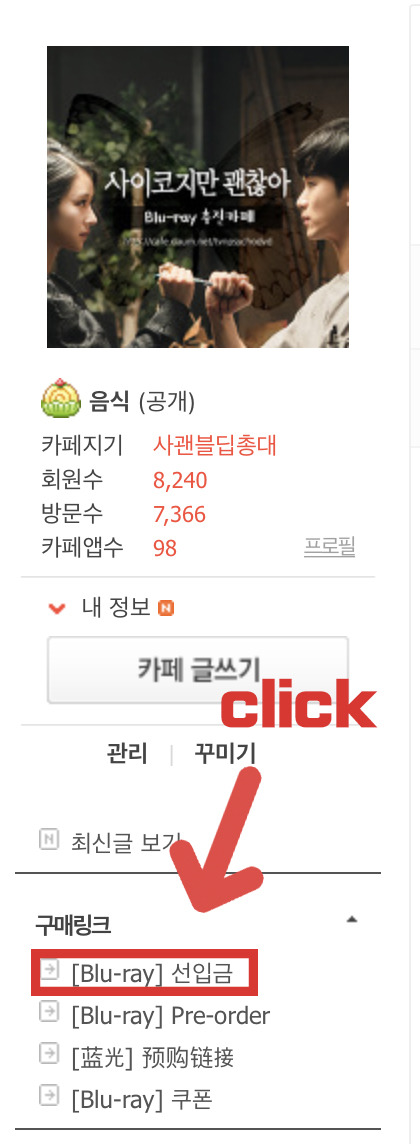
1. Click [Blu-ray] 선입금 from Cafe menu bar.
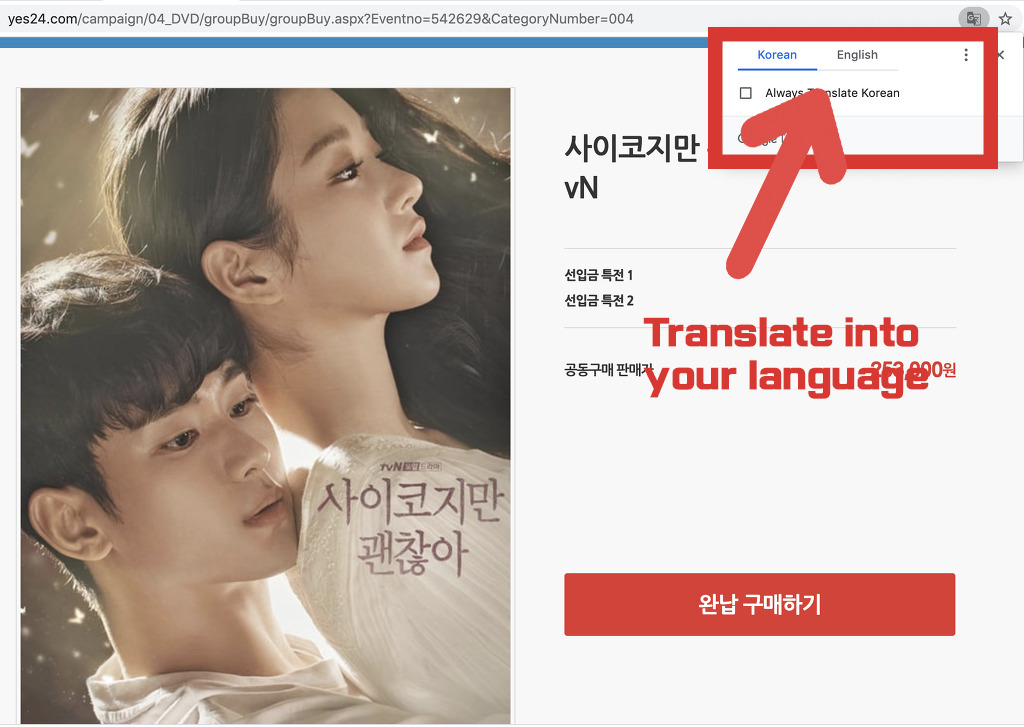
2. If you use Chrome, it will show a pop-up as below image to ask you if you want to translate the page. Click your language to translate.
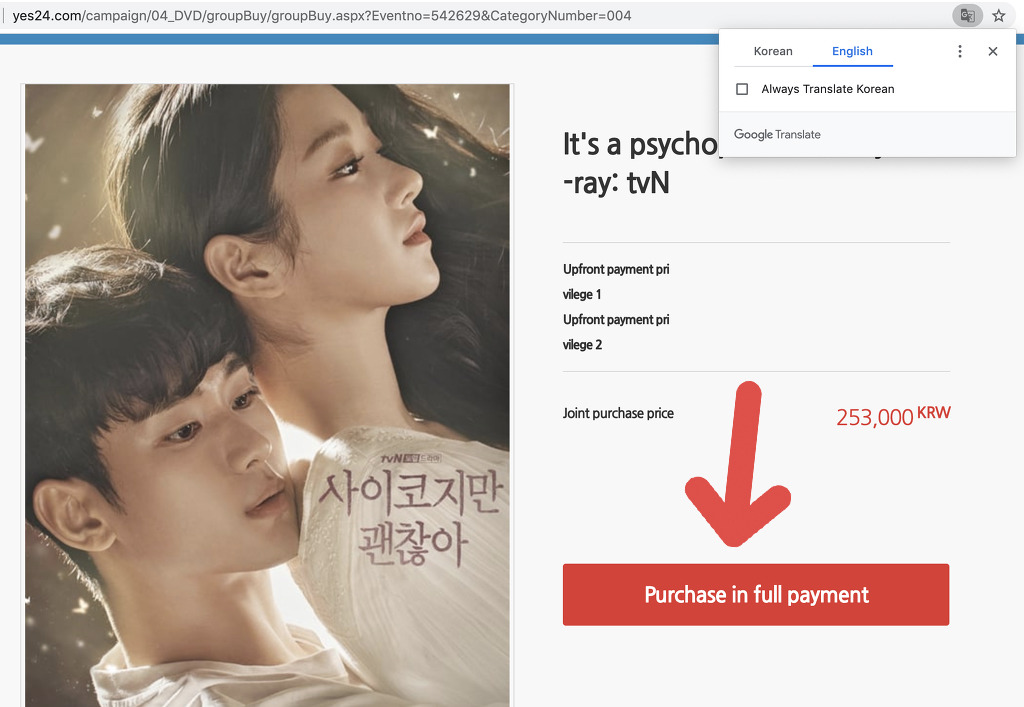
3. Language will be changed to your language. Click "Purchase in full payment" button.
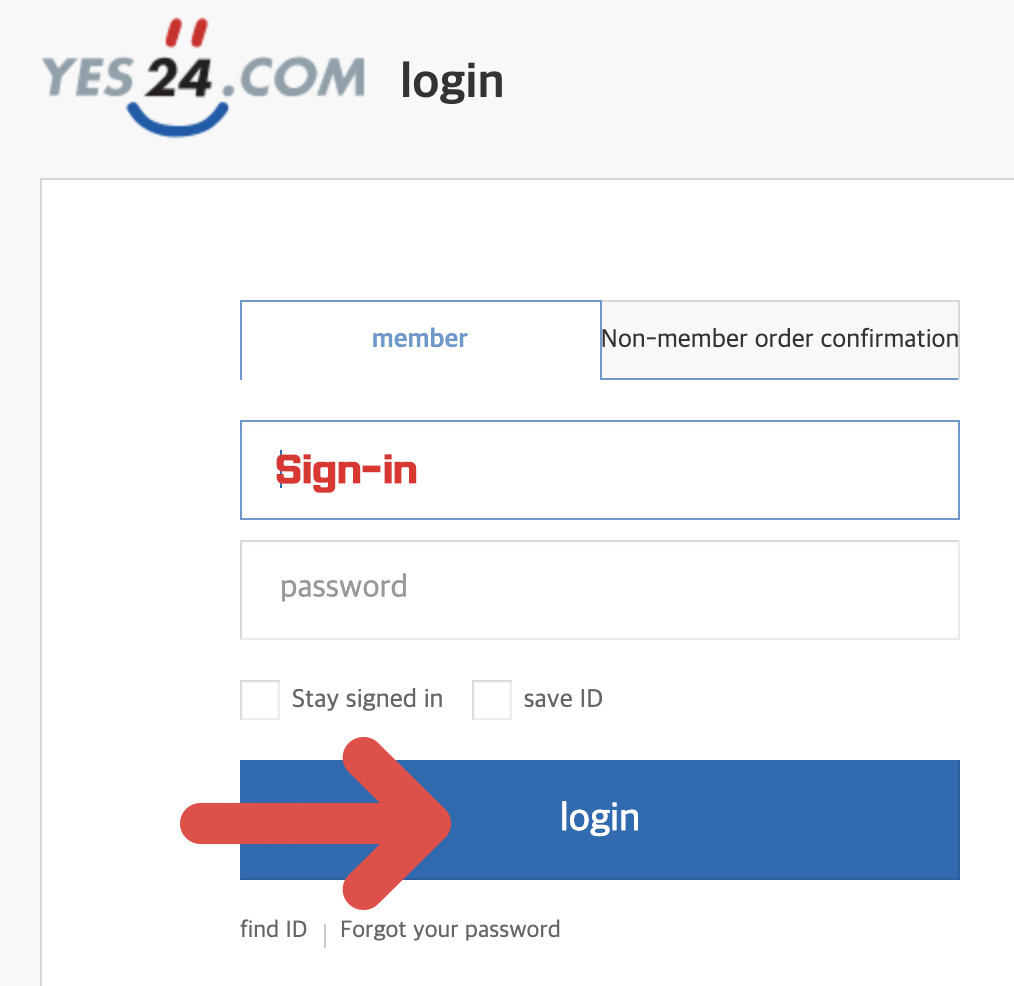
4. If you have not done already, this sign-in page will show up. Please sign-in.
**** IF YOU DO NOT HAVE YES24 (KOREAN) ACCOUNT, PLEASE FOLLOW THE STEPS BELOW, OTHERWISE PLEASE GO TO STEP 5 TO CONTINUE ****
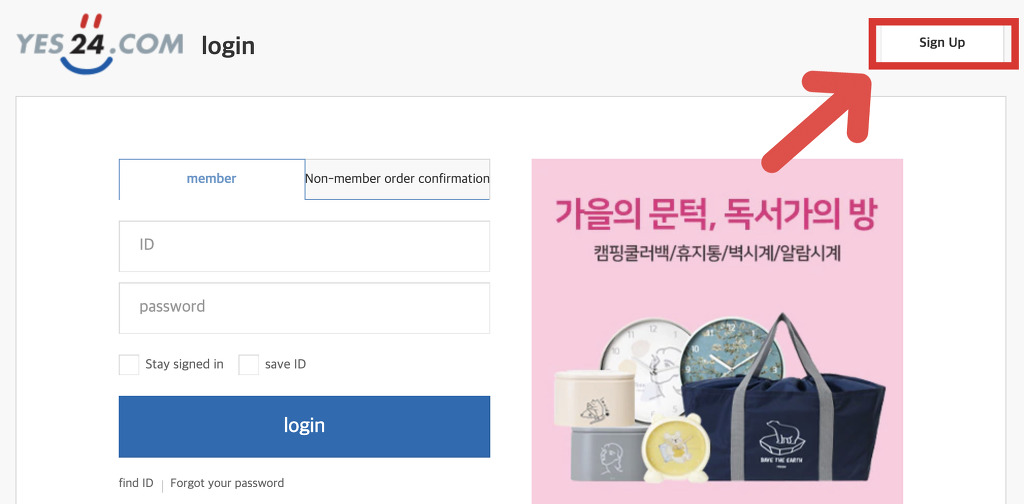
4-1. Click Sign-Up button to create an account.
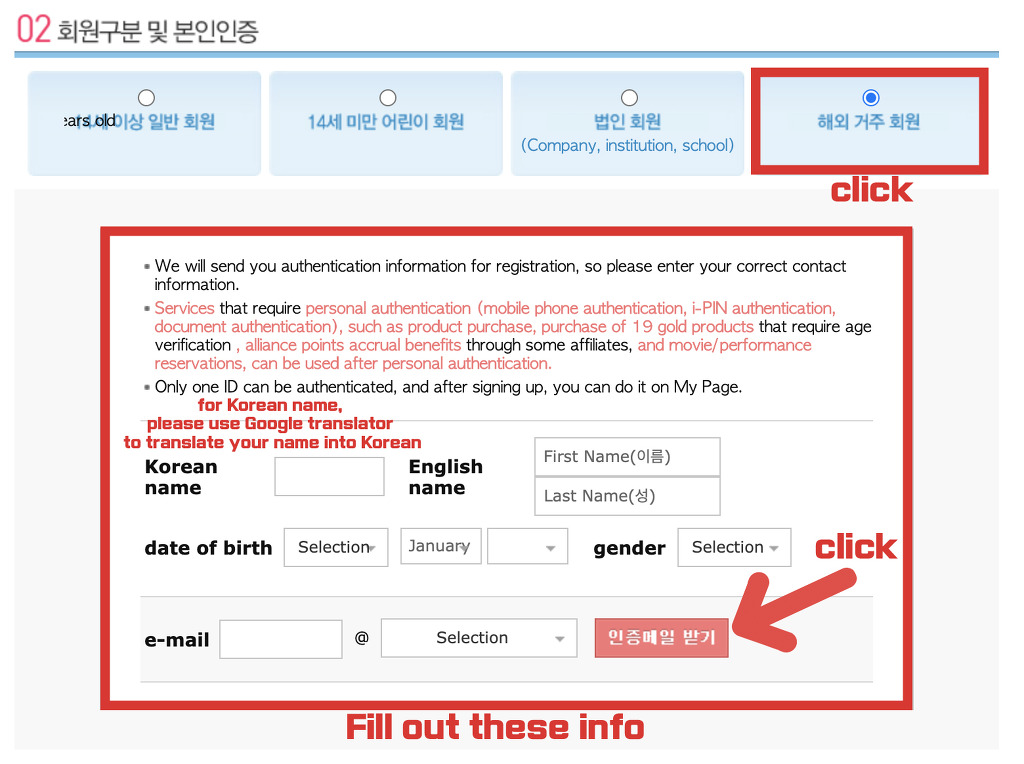
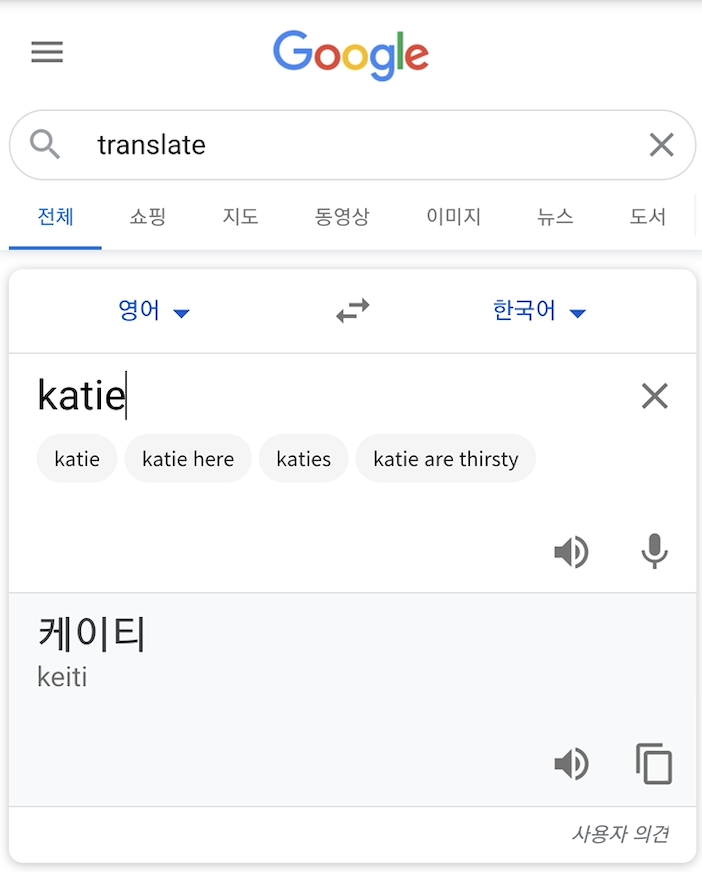
4-2. Fill out the info and click "인증메일 받기". For Korean name, please use Google translator to translate your name into Korean.
4-3. You will receive an confirmation email to the email address you entered. Finish the sign-up process.
4-4. Send a photo of your passport ID page to Yes24 with your YES24 ID you created.
email : moviebox@yes24.com
4-5. When you receive a confirmation email that your Sign-up process is completed, you are all set to proceed!
** IF you DO NOT hear back from that email within a day or two, please open an 1:1 enquiry with your passport attached.
------------------------------------------------------------------------------------
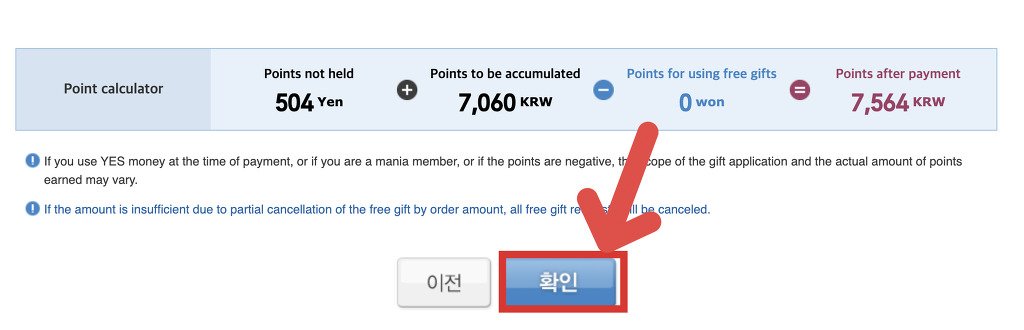
5. Scroll down to click "확인"
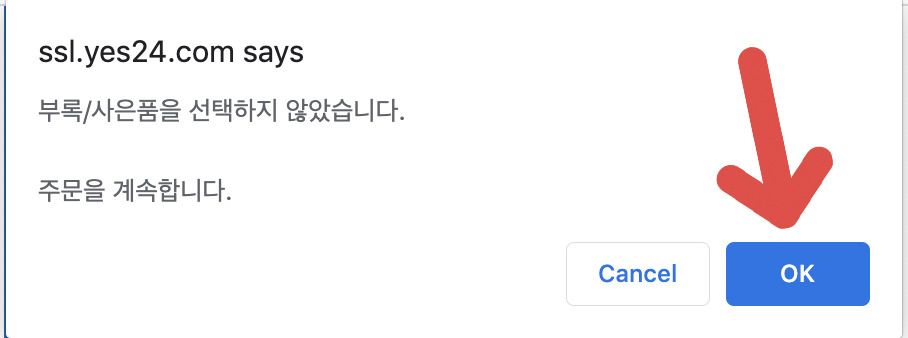
6. This pop-up window will show up. Click OK.
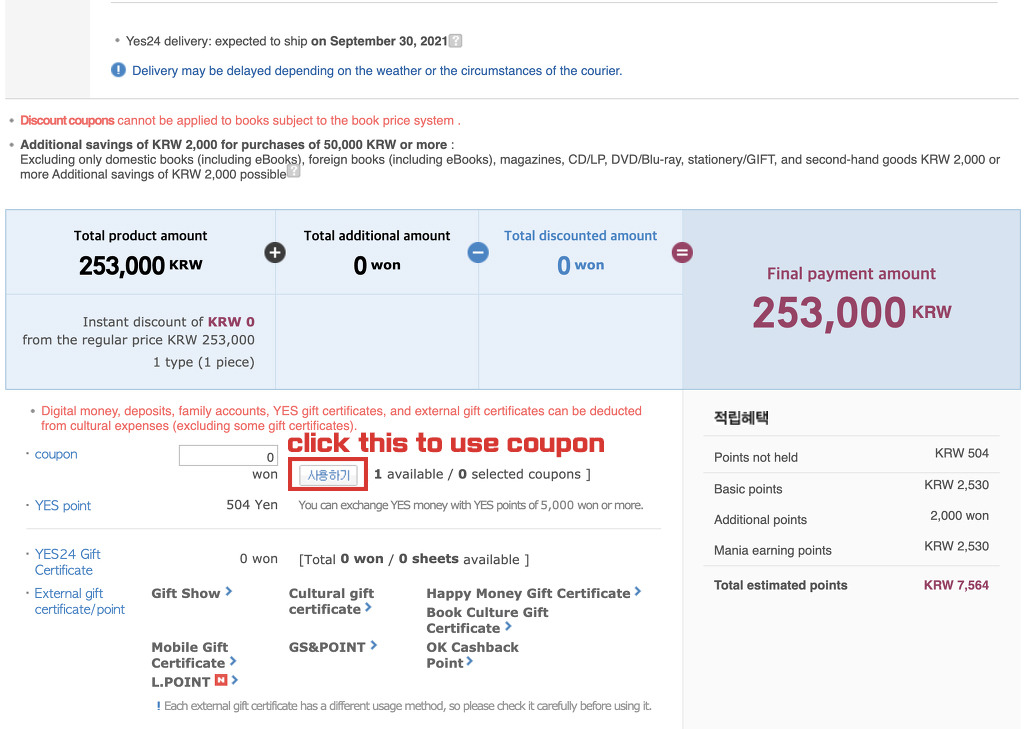
7. To use your coupon you got from the Cafe menu, click the button highlighted in red. It will have an option for you to choose.
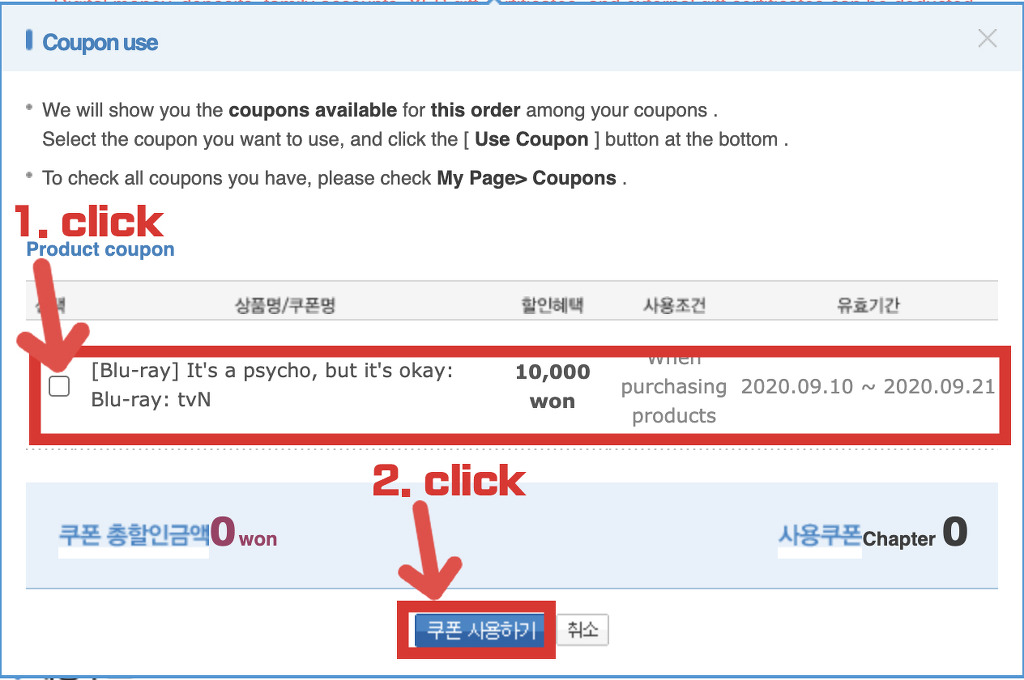
8. Use discount coupon.
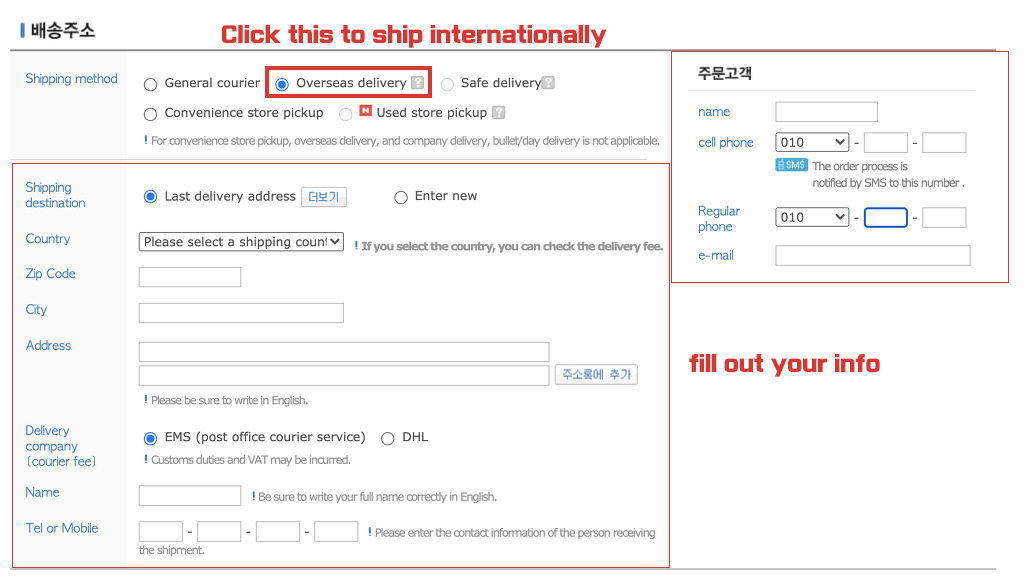
9. click Overseas delivery and fill out your information.
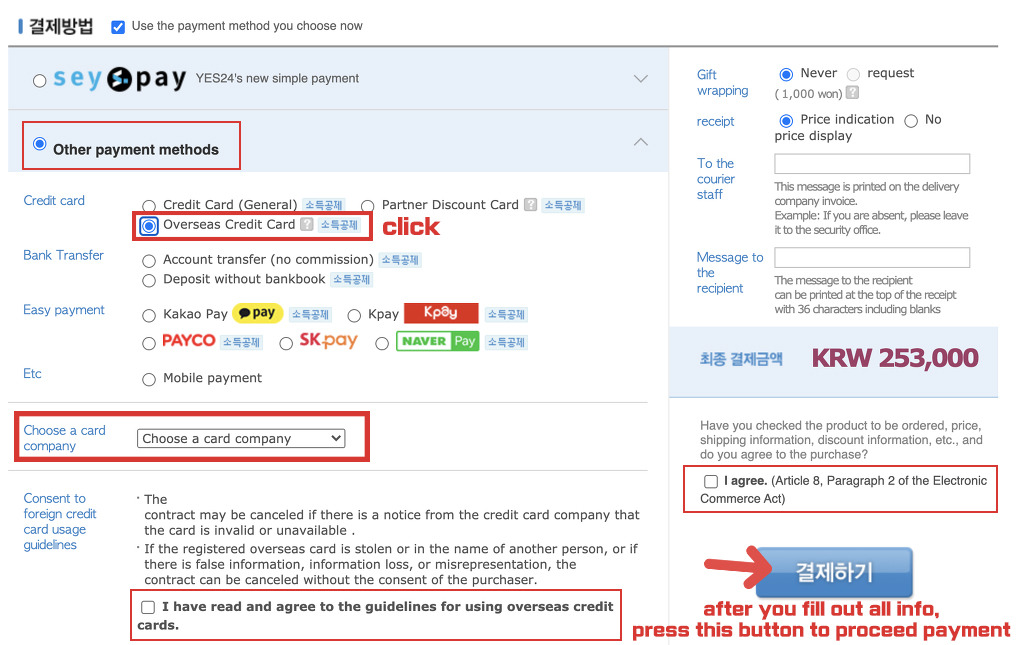
10. Click Overseas Credit Card and choose your credit card (VISA, MASTER..etc) and press [결제하기] to proceed your payment.
Once you completed your payment, you will be able to see the purchase detail in your order history.
If you have any problems while following these steps, please send us an email.
email: tvnpsychodvd@gmail.com
* Please keep in mind that if your question is non-related, or included in this instruction, we are not going to answer your question.
Thank you :)